

Our earlier guides covered home office ideas and office layouts — this one is the best-of: the 20 finest tiny home office setups, curated for people who work from home full-time and need their small space to perform like a real office. These are the pro-level designs worth copying.
What Makes a “Best” Tiny Office
- Ergonomic: proper chair, monitor height, keyboard position — the 8-hour test.
- Professional: video-call ready — background, lighting, and acoustics.
- Boundaried: work visibly ends — the shutdown matters.
- Beautiful: a space you want to enter at 9am — motivation by design.
The Top Tier
1. The executive nook
A dedicated 6×8′ zone with a real desk, ergonomic chair, dual monitors, and acoustic panels disguised as art — the corner office, tiny edition.
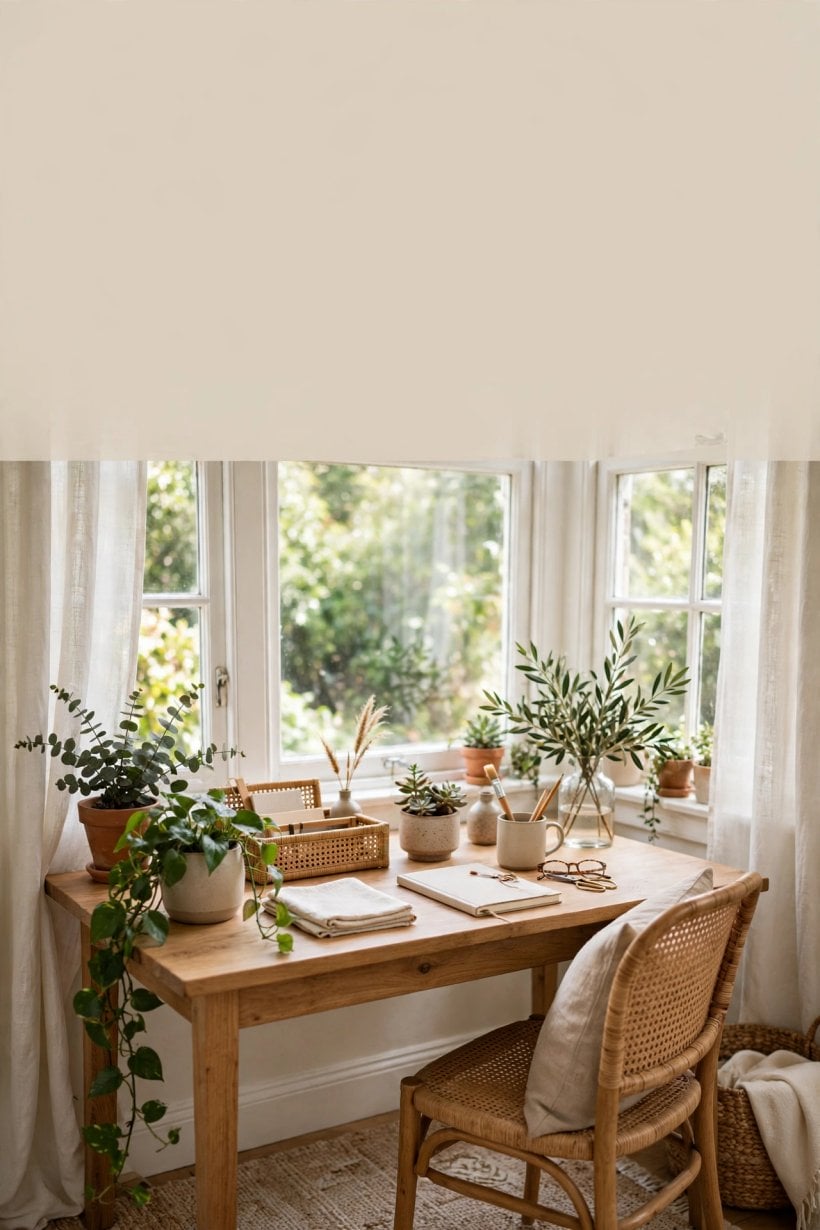
2. The window command center
Desk perpendicular to a big window, ultrawide monitor, side light for calls — the setup that makes video meetings look expensive.
3. The loft professional
The entire loft as a proper office — full desk, bookshelves, task lighting. Upstairs means work; downstairs means home.
4. The shed studio
Detached 10×12′ office shed — insulated, powered, designed. The ultimate tiny-house office: a real commute (twelve steps).
5. The cloffice deluxe
Converted closet with built-in desk, floating shelves, LED strips, and doors that close — the disappearing executive suite.
Designer Setups
6. The Scandinavian work corner
White oak desk, white chair, one plant, soft daylight — the serene productive. Minimal, calm, beautiful.
7. The dark academia desk
Walnut desk, brass lamp, bookshelves, deep green walls — the writer’s office. Moody focus.
8. The Japandi workstation
Low desk, natural materials, negative space — the zen office. For deep work.
9. The industrial edge
Steel-frame desk, Edison lighting, concrete accents — the creative professional’s loft-office.
10. The boutique hotel desk
Upholstered chair, mirrored accents, fresh flowers — the office that feels like a treat.
Functional Champions
11. The dual-monitor minimal
Two 27″ monitors on arms, laptop docked, everything else hidden — the productivity machine with a clean face.
12. The standing convertible
Electric sit-stand desk in a tiny footprint — the health-conscious pro’s choice.
13. The murphy executive
Wall-bed-style fold-down desk with full cable management — the transformer that means business.
14. The acoustic pod
Felt panels, soft furnishings, door that closes — the call-heavy worker’s sanctuary.
15. The dual-purpose dining pro
Dining table with a permanent “office end” — monitor arm, dock, and a 60-second clear-down system.
Special Mentions
16. The couple’s command
Back-to-back workstations with a shared printer station — two careers, one tiny house, zero friction.
17. The creative spread
Extra-deep desk for drawing tablets, samples, and sketchbooks — the designer’s tiny studio.
18. The podcast corner
Treated acoustics, quality mic on an arm, camera-ready background — the content creator’s tiny studio.
19. The night-shift setup
Blackout surroundings, warm task lighting, silent peripherals — the overnight worker’s optimized cave.
20. The $500 starter pro
Used ergonomic chair ($200), IKEA desk ($150), monitor arm ($50), lamp ($50), cable kit ($50) — the budget best.
The Pro Equipment List
- Chair: the #1 investment — used Herman Miller/Steelcase ($200–$400) beats new budget chairs.
- Monitor: one ultrawide or dual 27″ — screen real estate is productivity.
- Lighting: bias light behind monitor + task lamp — the eye-strain solution.
- Audio: quality headset or mic — the remote worker’s voice is their presence.
- Dock: one-cable laptop docking — the 5-second workday start.
Office series: our 25 office ideas and 18 layouts.
The Video-Call Studio
- Camera: external webcam at eye level — laptop cameras shoot up your nose; a $100 webcam is the upgrade.
- Light: soft light facing you (window or ring light) — never backlit, never overhead-only.
- Background: bookshelf, art wall, or plants — personality reads as professionalism; blank walls read as temporary.
- Audio: a decent mic beats a great camera — people forgive video, not audio.
- The test: record yourself and watch — the 5-minute audit that fixes everything.
Ergonomics: The Deep Dive
- The chair: adjustable height, lumbar support, armrests — the used-premium market ($200–$400) is the value king.
- Monitor height: top third at eye level — arms or stands; laptop users need the external keyboard + stand combo.
- Desk height: elbows at 90° — sit-stand desks solve this for everyone.
- Feet: flat on floor or a footrest — the forgotten ergonomic.
- Movement: the best posture is the next one — stand, stretch, walk. Tiny houses make movement easy (everything’s close).
Offices by Profession
- Software: dual monitors, dock, mechanical keyboard — the developer’s cockpit.
- Design: color-accurate monitor, drawing tablet, extra desk depth — the creative’s canvas.
- Writing: minimal screen, great chair, quiet — the writer needs less gear, more calm.
- Sales/calls: the acoustic pod — headset, mic, treated background. Calls are the job.
- Teaching: whiteboard wall, good camera, document camera — the classroom, tiny.
- Finance: multiple monitors, privacy screen, secure storage — the numbers station.
Upgrading Over Time
- Month 1: the $500 starter — chair, desk, lamp, cables.
- Month 6: the monitor upgrade — screen real estate pays daily dividends.
- Year 1: the sit-stand desk — the health investment.
- Year 2: the acoustic treatment — the call-quality leap.
- The shed: when the career justifies it — the ultimate upgrade.
- The rule: upgrade the thing that touches you most (chair → monitor → desk → room).
The Shutdown Ritual
- Clear the desk: everything into the work box — the visual full stop.
- Close the boundary: curtain, doors, laptop lid — the physical gesture.
- Change the light: work lighting off, home lighting on — the sensory switch.
- Review tomorrow: 5 minutes planning the next day — the mental close.
- Leave: physically leave the office zone — even if it’s just the other end of the room.
- Why it matters: in a tiny house, the ritual IS the commute — without it, work never ends.
Office Aesthetics That Work
- The inspiration wall: one board for vision, not clutter — curated, not chaotic.
- Plants: one or two — the living accent that improves air and mood.
- Color: the office can have its own palette — a zone defined by color feels separate.
- Personal, not personal-clutter: one meaningful object beats ten knick-knacks.
- The Friday reset: weekly 15-minute office reset — the best offices are maintained, not just made.
The Tiny Office Hall of Fame
- The $500 starter pro: proof that budget doesn’t mean bad — used chair, simple desk, done right.
- The shed studio: proof that tiny-house workers can have it all — separation included.
- The cloffice deluxe: proof that the smallest space can be the most designed.
- The window command center: proof that light is the best office perk.
- The common thread: intention — every great tiny office was designed on purpose.
Do I need a separate room for a home office in a tiny house?
No — you need a separate zone, not a room. A curtain, a divider, a loft, or a shed all create the psychological boundary. The separate room is a luxury; the boundary is a necessity. Design the boundary, not the room.
Frequently Asked Questions
What is the best home office setup for a tiny house?
The best setup matches your work: video-heavy → the window command center or acoustic pod; deep-focus → the loft or shed office; budget → the $500 starter pro. All share ergonomics, call-readiness, and a shutdown boundary.
How much should I spend on a tiny home office?
$500–$1,500 outfits an excellent tiny office (used ergonomic chair, good monitor, lighting, dock). The shed-office upgrade runs $5,000–$15,000. Spend on the chair and monitor first — they touch your body and eyes all day.
Can a tiny home office look professional on video calls?
Absolutely — the perpendicular-to-window desk with a clean background (bookshelf, art) and soft front light looks better than most corporate offices. The tiny office’s intimacy is a video-call advantage.
What’s the best desk for a tiny home office?
A 48×24″ sit-stand desk is the sweet spot — enough for dual monitors, small enough for tiny rooms, and the standing option. Wall-mounted fold-downs win when floor space is zero.
How do I make my tiny office feel separate from home?
The boundary trio: a physical divider (curtain, shelf, door), a shutdown ritual (clear desk, close curtain), and a sensory cue (different lighting or scent for work hours). The shed office is the ultimate answer; the cloffice doors are the budget one.
What is the most important piece of home office equipment?
The chair — by a wide margin. You sit in it 8+ hours daily; back pain is the remote worker’s occupational hazard. A used premium ergonomic chair ($200–$400) is the single best office investment, tiny house or not.
How do I stop working when my office is in my tiny house?
The shutdown ritual: clear the desk, close the boundary (curtain/doors), change the lighting, and physically leave the zone. In a tiny house, the ritual replaces the commute — without it, the workday has no end. The discipline is the design.
The Analog Backup: Paper Systems for Power and Internet Outages
The best tiny office has a power-outage plan, because tiny houses lose power and internet more often than apartments — rural lots, park grids, and storm-prone regions see to that. The analog backup is a single lidded box (shoebox size) holding a paper notebook, two pens, a printed contact list, a USB stick with your critical files synced monthly, a battery bank kept charged, and $40 in small bills. When the outage hits, you keep working on paper, keep communicating by phone hotspot or SMS, and keep your cool because the plan exists.
Design the workflow, not just the box. Decide in advance which tasks go analog: client notes, sketching, planning, reading printed material, and anything that doesn’t need a screen. The mistake is treating an outage as lost time — with the box and the list, it’s a focused deep-work session without notifications. Many tiny-house professionals report their most productive hours happen during outages, once the initial panic passes.
Test the system twice a year. Pick a Saturday, kill the breakers for four hours, and work from the box. You’ll discover the gaps — the password you only know in the password manager, the file that isn’t on the USB stick, the client number that’s only in your email — while the stakes are zero. Update the box the same day. An untested backup is a hope, not a plan.
The Client-Facing Office: When Your Tiny Office Meets the World
Many tiny-house professionals don’t just work from home — they meet clients from home, and the tiny office has to perform on camera and in person. The client-facing setup starts with the background: a clean, intentional wall (bookshelf, art, or a simple textured wall) that reads as professional, not cramped. The camera sees 4–6 feet of wall; make those feet count. Avoid the bed, the kitchen, or the bathroom door in frame — the client shouldn’t know you live in 300 square feet unless you want them to.
Sound is the second impression. A $100 USB microphone beats a $1,000 camera for perceived professionalism — clients forgive video quality, but they don’t forgive echoey, distant audio. In a tiny house with hard surfaces, add soft furnishings near the desk (a rug, curtains, upholstered chair) to tame reflections. Test your setup by recording a 2-minute sample and listening on phone speakers; if you sound like you’re in a bathroom, fix the room before you upgrade the mic.
For in-person meetings, the tiny office needs a hospitality layer. A folding chair that doesn’t look like a folding chair, a small side table for coffee, and a clear path from the door to the desk — the 10-foot journey that makes a visitor feel welcome rather than intrusive. The best tiny offices have a “meeting mode”: desk cleared, chair for guest deployed, background tidied, all in under 5 minutes. Practice it; the confidence of being ready matters more than the square footage.
The mindset shift: your tiny office isn’t a compromise — it’s a choice. Clients respond to intention and competence, not square footage. The professional who runs a sharp operation from a well-designed tiny office earns more respect than the one apologizing for a messy spare bedroom. Own the tiny; let the work speak.
Final Considerations
The best tiny home offices prove that square footage never determined professionalism — design does. Pick the setup that matches your work, invest in the chair and the light, build the boundary, and make it beautiful. Your tiny office can outperform any corner office — it just needs the pro treatment.


0 Comments