
A range hood light blinking on and off, or a display that flashes for no obvious reason, is usually the hood asking for attention rather than announcing a failure. This guide works through the common causes in a safe order, from a simple reset to the checks that point to professional help.
Work through the steps calmly and one at a time, and stop for expert help whenever electricity stops feeling simple.
1. What a Blinking Display Is Trying To Tell You at a Glance
Modern range hoods use their displays and lights as a simple language. A steady glow means normal operation; a blink, flash or repeating pulse usually means one of a small set of things: a reminder that filters need attention, a control that has been locked or confused, a power supply that was interrupted, or, less often, a component that is failing. The pattern matters. A blink that appears after cooking and clears after cleaning is a reminder doing its job. A display that flashes constantly, responds oddly to buttons, or blinks together with strange fan behaviour deserves a closer look.
Before you suspect the worst, gather the basic facts. Note when the blinking started, whether anything changed beforehand, such as a power cut, a bulb change, a deep clean or a very steamy cooking session, and whether the fan and lights still work normally underneath the blinking. Those three observations will guide every step that follows, and they are exactly what a technician will ask you first if you end up calling one.
| Question | Short answer |
|---|---|
| Is a blinking display always a fault? | No. Many hoods blink or flash a symbol simply to remind you that a grease or charcoal filter needs washing or replacing. |
| What is the first fix to try? | A proper power reset: switch the hood off at the mains, wait a little while, then restore power and test the controls again. |
| Can steam cause blinking? | Yes. Moisture settling on touch controls or inside the control area can confuse the panel until everything dries out. |
| When should I stop and call for help? | If there is any burning smell, sparking, repeated breaker tripping, or the blinking survives every basic check, use a qualified electrician or appliance technician. |
| Should I open the hood’s electrics myself? | No. Internal wiring, control boards and capacitors are professional territory; keep your checks to external controls, filters and safe resets. |
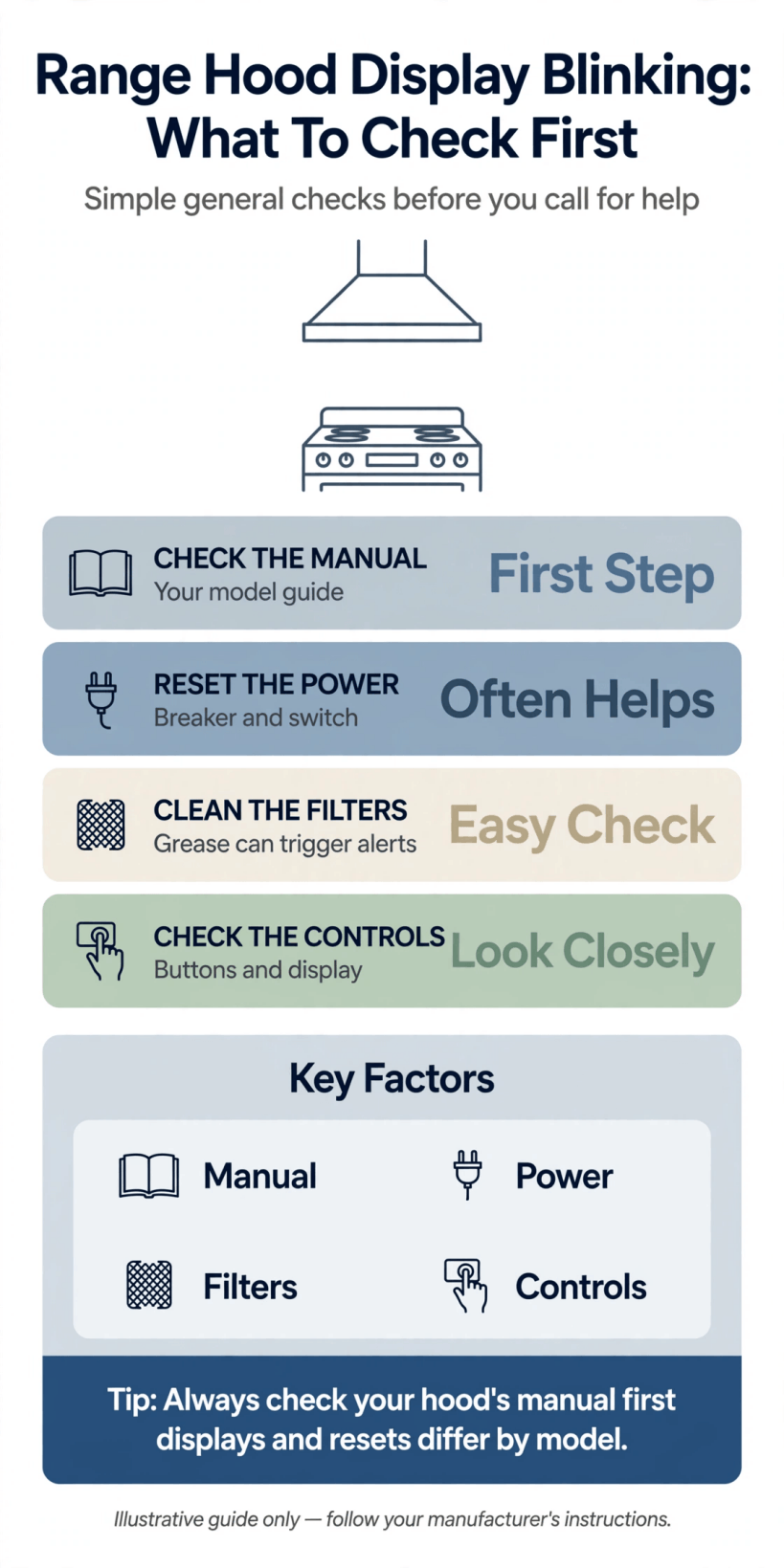
A visual summary of the usual causes behind a blinking hood display and the order in which to check them safely.
With that overview in mind, the sections below take each cause in turn, starting with the safety rules that govern every check you will make.
2. Safety First: Power, Heat and Knowing When To Stop
A range hood is an electrical appliance working in the least forgiving corner of the kitchen, surrounded by steam, grease and heat. Before any check, let the hob cool completely and make sure your hands are dry. Never reach into the hood, remove covers, or touch anything beyond the external controls and removable filters unless the appliance is fully isolated from the mains, and even then, treat internal parts as out of bounds. The checks in this guide are deliberately limited to what can be done safely from outside the appliance.
Know your stop signals in advance. A burning or acrid smell, visible scorching, crackling sounds, a breaker that trips when the hood runs, or a display that behaves wildly rather than simply blinking are all reasons to switch off and call a qualified electrician or appliance technician. Our guide to tiny house kitchen design makes a related point for small spaces: compact kitchens concentrate heat and moisture, so ventilation appliances work hard and deserve prompt attention when they complain. A blinking display is information; how you respond to it is what keeps a small problem small.
3. Start With the Simple Power Reset
Electronic controls occasionally get confused, especially after a power cut, a brief outage, a surge, or a flurry of button presses. A proper reset clears that confusion. Switch the hood off using its own control, then isolate it at the wall switch or the consumer unit, and leave it fully off for a few minutes so the electronics can discharge completely. Restore power, and the display should light steadily and step through its normal start-up. Test the fan speeds and lights one at a time and watch whether the blinking returns.
If the reset cures the problem, make a note of it and carry on cooking; a one-off glitch after a power event is rarely a sign of deeper trouble. If the blinking returns immediately, or comes back within a day or two, the hood is telling you the cause is still present, and it is time to work through the remaining checks rather than resetting repeatedly. Repeated resets that only postpone the symptom can also hide a developing fault, so treat a returning blink as useful evidence and move on to the filter and control checks below.
4. Filter Alerts: The Most Common Reason a Hood Blinks
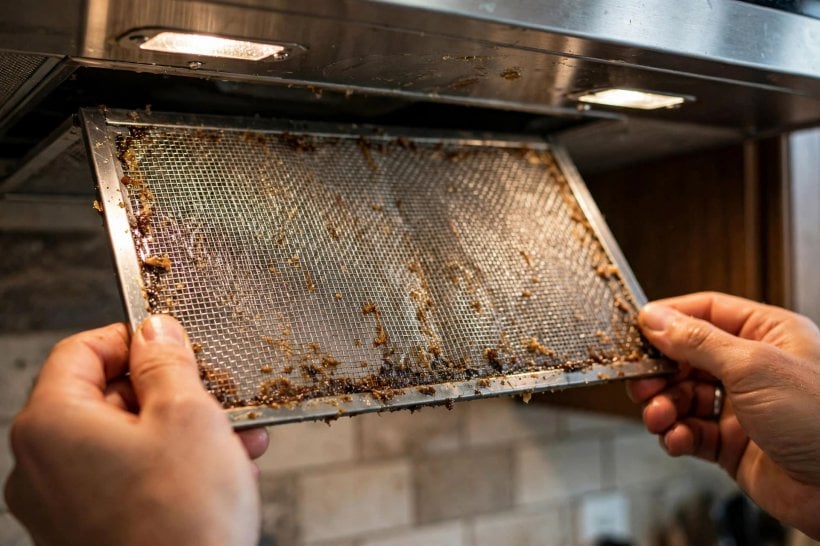
Many hoods count running hours and flash a light, symbol or segment of the display when the grease filters are due for cleaning or the charcoal filters are due for replacement. This reminder is the single most common reason for blinking, and also the easiest to resolve. Remove the grease filters following the maker’s release method, wash them thoroughly in hot water with a degreasing detergent, let them dry completely, and refit them. If your hood uses charcoal filters for recirculation, check their age; saturated charcoal cannot be revived by washing and needs replacing.
After cleaning or replacing, the reminder usually needs to be cleared deliberately, often by pressing and holding a particular button for a few seconds; your hood’s manual describes the exact gesture for your controls. Simply cleaning the filters without resetting the alert can leave the display blinking happily on, which catches many owners out. If you no longer have the manual, most makers publish them online by model number. Our overview of modern interior design ideas for tiny houses notes how dominant a hood can be in a small kitchen scheme; keeping its display calm and its filters clean protects both the look and the air of the room.
5. Grease, Moisture and Steam Around the Controls
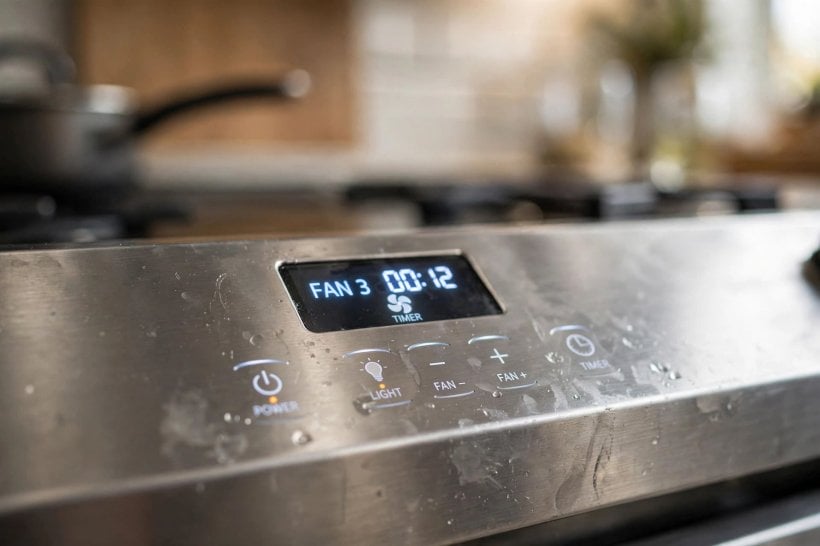
Controls that live above a hob inhale the kitchen’s weather. A film of grease can build up over touch-sensitive panels until presses register oddly or not at all, and a very steamy session can leave condensation on or behind the control surface, which the electronics may read as phantom touches or a fault worth flagging. If your blinking began right after a big, steamy cook, switch the hood off, let it dry for several hours or overnight, and test again before assuming anything has failed.
Cleaning helps when it is done the gentle way. Wipe the control area with a soft cloth slightly dampened with warm water and a little mild detergent, then dry it thoroughly; never soak the panel, spray cleaner directly onto it, or use abrasive pads that cloud the surface and let more moisture in. While you are there, check that the display surround is seated properly and that no cooking splash has crept along a seam. A hood that blinks only on steamy days is usually reporting its environment rather than an illness, and better habits, lids on pans, fan on earlier, solve it more reliably than parts.
6. Buttons, Touch Panels, Timers and Lock Features
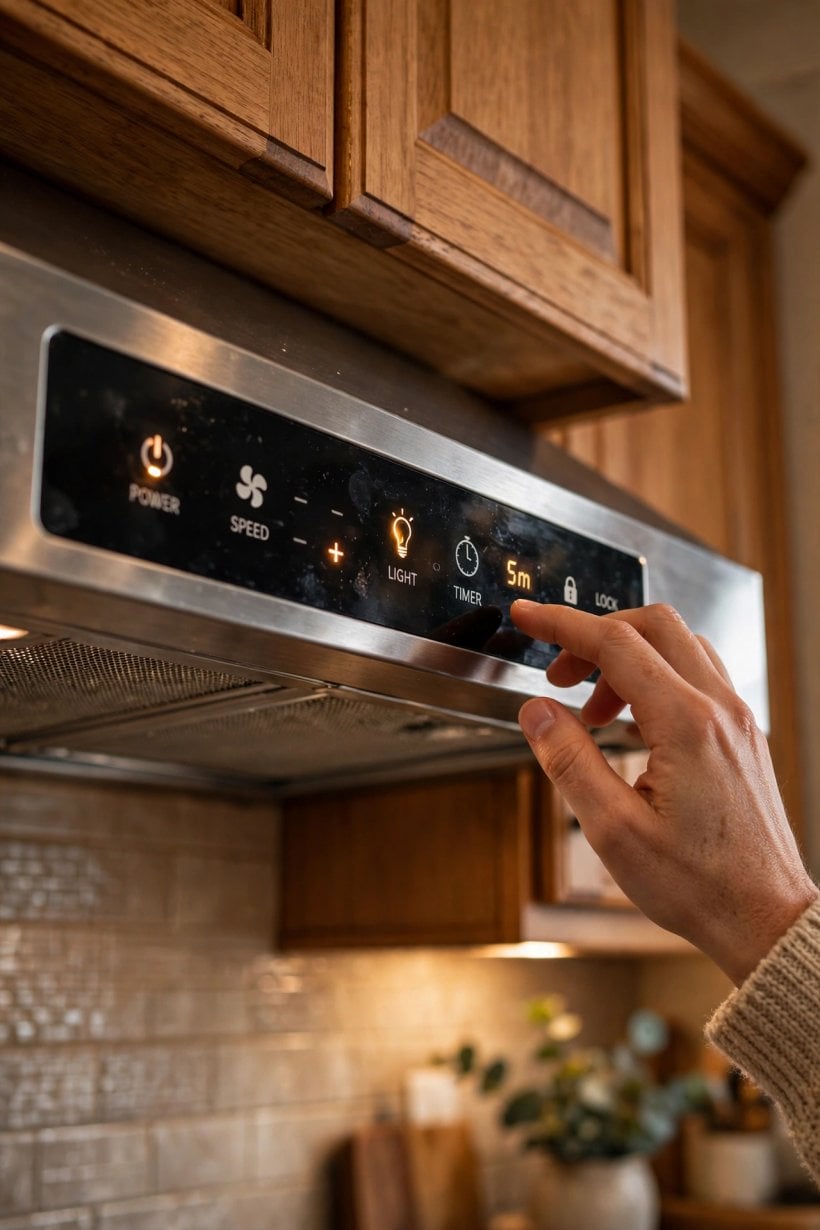
Some blinking is a feature wearing a disguise. Delay-off timers often flash while they count down after you press stop. Child-lock or panel-lock settings can make the display blink when buttons are pressed, to show the panel is locked rather than broken. Cleaning modes on some hoods lock the controls and signal that state until the mode ends. If your display blinks mainly in response to pressing buttons, and the hood otherwise behaves, check the manual for lock and timer behaviour before suspecting a fault.
Physical buttons can also tire. A button that sticks slightly, or a touch panel whose surface has been pressed thousands of times in one favourite spot, may send repeated or muddled signals that the control board displays as blinking. Test each control in turn from a fully off state, pressing once and watching the response. A single control that misbehaves while others behave normally points at that control or its immediate connections, which is genuinely useful information for a technician. As with so much home troubleshooting, the methodical approach in our guide to how to build your own tiny house applies here too: change one thing at a time, and note what each change does.
7. When the Lights Themselves Blink: Bulbs, Holders and Drivers
Sometimes the display is innocent and the lamps are the story. A lamp nearing the end of its life may flicker or blink before failing, and a replacement lamp of the wrong type or rating can upset the electronics that feed it, especially where dimming is involved. If the hood’s lights blink while the fan display stays calm, switch off, let everything cool, and check that the lamps are the type the maker specifies, seated firmly in their holders, and free of visible damage. A loose lamp that makes and breaks contact as the hood vibrates is a small cause with a theatrical effect.
LED lamps on many hoods are fed by a small driver unit, and a tired driver can produce flicker that looks like a control fault. Replacing lamps is a user-level job on most hoods once the power is off and the lamp is cool; investigating drivers and internal lamp wiring is not. If new, correct lamps still blink, or the blinking follows a pattern like a regular pulse, record a short video of it. That clip, plus your notes on when it happens, will save a technician time and save you paying for guesswork.
8. Fan Behaviour Clues That Narrow the Cause
The fan is your witness. If the fan runs smoothly at every speed while only the display blinks, the problem is most likely in the control, display or reminder systems covered above. If the fan also surges, pulses, starts and stops, or changes speed as the display flashes, the cause is more likely to involve power supply or the control board that manages the motor. Listen as well as look: new rattles, hums or grinding suggest the fan or its mountings need attention, and a struggling fan can draw irregular power that shows up in the display.
Try the hood on a quiet setting with the hob off and no steam around, and note whether the blinking keeps time with anything: the fan cycling, the lights being dimmed, or another appliance running on the same circuit. Patterns like these are diagnostic gold. In small homes especially, where one circuit can serve several hard-working appliances, shared-load quirks appear more often; our notes on how to make a tiny house for cheap discuss how compact electrical layouts reward owners who understand what runs together. Write your observations down rather than trusting memory by the time help arrives.
9. Power Supply, Plugs and Wiring Checks Within Safe Limits
A hood can only behave as well as the power it is fed. Within safe, external limits there are a few checks worth making. If the hood is plugged into a socket rather than hard-wired, confirm the plug is pushed fully home and test the socket with a lamp or another small appliance to prove the socket itself is healthy. Check whether the blinking coincides with other heavy appliances starting up, which can hint at a supply dip, and confirm at the consumer unit that the relevant breaker is fully on and not half-tripped.
There the safe list ends. Hard-wired connections, junction boxes, internal terminal blocks and anything behind covers belong to a qualified electrician, full stop. Never open the hood’s electrical compartments, never bypass a fuse or breaker that keeps tripping, and never continue using a hood that makes the lights in the room dip or flicker in sympathy. Those symptoms can indicate a loose connection somewhere in the circuit, which is precisely the kind of fault that should be found by test instruments in professional hands rather than by hopeful experimentation in a greasy, steamy kitchen.
10. Control Boards and Sensors: Knowing When To Call a Professional
If you have reset the power, serviced the filters and cleared their alert, dried and cleaned the controls, ruled out locks and timers, and confirmed the lamps and supply are sound, yet the display still blinks, the likely suspects move inside the appliance: the control board, a sensor, or the connections between them. Boards can be unsettled by years of heat and moisture, and a failing component may work when cold and misbehave when warm, which is why some hoods blink only after long cooking sessions.
Calling a professional at this point is not defeat; it is the correct final step of a thorough check, and your notes make it a cheaper one. Hand over the pattern you observed, what you tried and what changed, and any video of the display. A technician can test the board and sensors safely, confirm whether a repair or a replacement part is sensible, and check the whole appliance while they are there. Planning a kitchen from scratch? Our guide to designing your own tiny house plans and layouts shows why access for servicing is worth designing in, because the easiest appliance to repair is the one a technician can actually reach.
Final Considerations
A blinking hood display is best treated as a message to decode rather than a disaster to fear. Work in the safe order set out here: note the pattern, respect the safety limits, try a full power reset, service the filters and clear their alert, dry and clean the controls, check locks, timers and lamps, and observe the fan for clues. Most blinking is explained by one of those ordinary causes, and the rest is a clear signal to involve a qualified electrician or appliance technician.
Keep the habits that prevent repeats: run the fan before steam builds, clean grease filters regularly rather than waiting for reminders, treat the control panel gently when you wipe it, and keep your hood’s manual somewhere findable. Do that, and the next time your hood blinks at you, you will know its language well enough to answer it quickly, calmly and safely.



0 Comments