

A tiny house does not need much internet equipment, but it needs the right connection, and choosing internet for tiny house living is really choosing how your home will work, earn and unwind. The connection carries remote jobs, video calls, banking, entertainment and the smart devices a small home increasingly runs on, and it has to do that from wherever the house happens to sit: a family backyard, a rented rural lot, a forest clearing, or a new pitch every few weeks. There is no single best option, because the best option is a property of the place as much as of the technology.
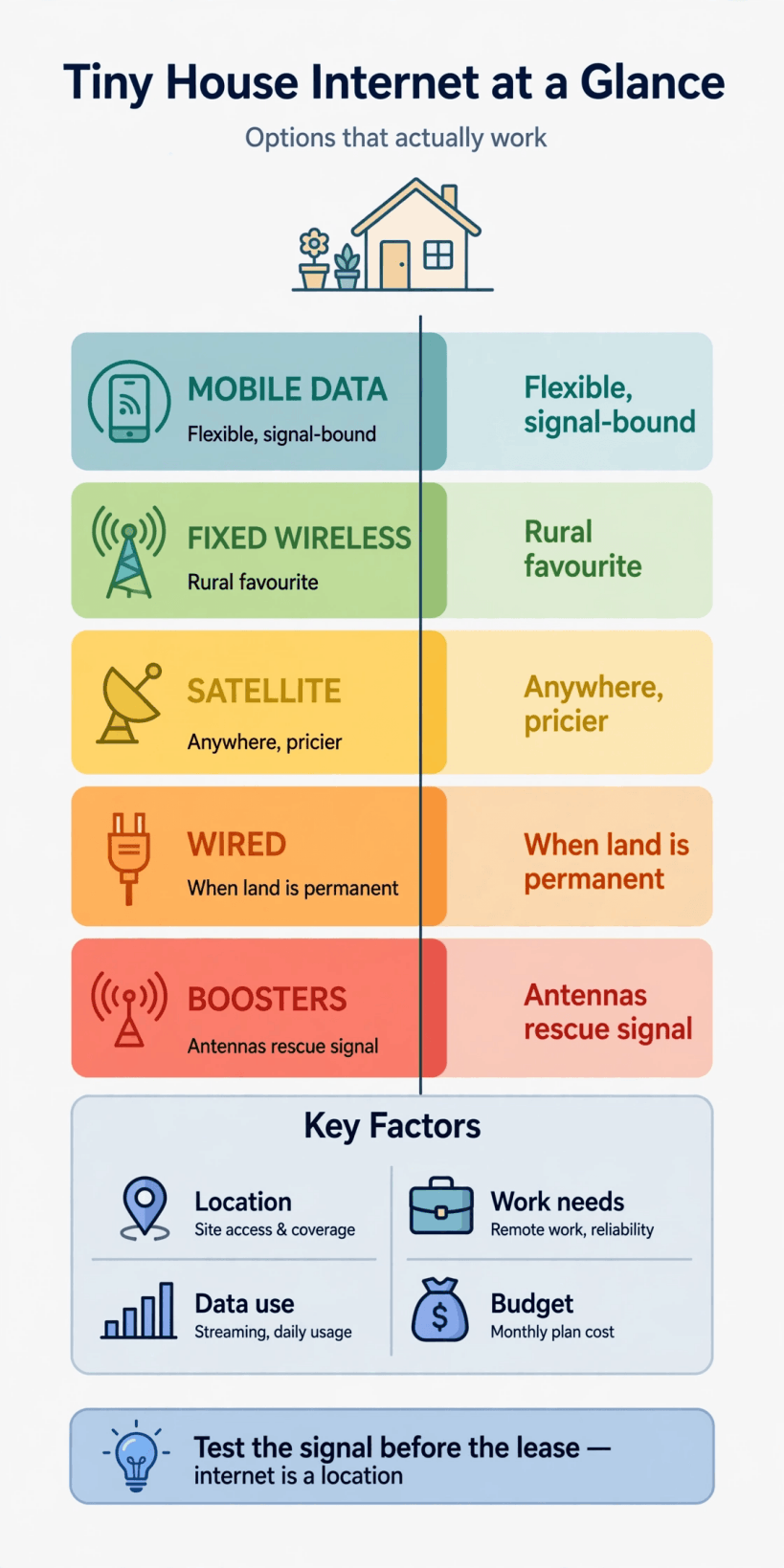
This guide works through the choices in the order they should be made. It starts with your actual usage and with the signal reality of your location, because those two facts eliminate most options before money is spent. Then it takes each connection type in turn: mobile data, fixed wireless, satellite and plain wired service on permanent land, with their honest strengths and failure modes. After that come the supporting layers, your small home network, boosters and antennas for weak signal, and the discipline that saves more tiny households than any gadget: testing the signal properly before you sign anything for a lot. No invented speeds, no miracle promises, just the trade-offs as they actually present themselves.
Internet Options for a Tiny House: Quick Answers
| Question | Answer |
|---|---|
| What is the most flexible option for a house that moves? | Mobile data, because the connection travels with the house. Its quality is entirely local, varying from excellent to unusable between one valley and the next. |
| What suits a house staying on one rural lot? | Fixed wireless where a provider serves the area, or satellite where nothing terrestrial reaches. Both fix an antenna to the spot, so the spot has to be right. |
| What is the best connection of all, when available? | Ordinary wired service on permanent land, because it removes signal from the equation. It is only available where the infrastructure already runs. |
| Can satellite work anywhere? | Almost anywhere with a clear view of the sky, which makes it the fallback for remote sites, at the cost of specialised equipment and a connection that weather and obstructions can affect. |
| Do boosters fix bad internet? | No. Boosters and antennas improve a weak existing signal. They cannot create one, and they cannot fix a connection that is slow because the network itself is congested. |
| What should you do before renting or buying a lot? | Test, at the lot, with the networks you would use, at the times you would use them. Coverage maps are marketing; a test on the ground is evidence. |
1. Start With How You Actually Use the Internet
Usage decides what ‘good enough’ means, and tiny households span the whole range. At one end, a solo dweller reading, messaging and streaming in the evening needs a modest, forgiving connection that almost any working option can supply. At the other, two people on video calls all day while cloud tools sync in the background need a connection that is stable under sustained load, at working hours, in working weather, and the penalty for getting it wrong is not buffering, it is employment. Write your household’s real pattern down before shopping: who is online, when, doing what, and what happens if the connection drops for a day.
That one page of honesty prunes the options faster than any comparison table. It tells you whether a simple mobile arrangement can carry your life or whether you need the strongest fixed option your site allows, whether a data allowance is a budget line or a cliff edge, and whether a backup connection is a luxury or a condition of living where you want to live. It also frames internet as what it is in a small home, a utility like the others in tiny house utilities: power, water and off-grid sewage, planned alongside power and water rather than improvised after the house is parked.
2. Signal Is a Property of the Place, Not the Plan
Every wireless option in this guide lives or dies on the same unglamorous facts: distance to the serving tower or the openness of the sky, the terrain and trees in between, the building materials the signal must pass, and how many other people nearby are asking the same network for the same evening hours. Two lots a short drive apart can have entirely different connectivity, and the same lot can differ between a pitch under trees and one at the field’s edge. This is why connectivity belongs in site selection, alongside access, water and power, in the groundwork described in how to prepare land for a tiny house.
It is also why a house on wheels has a connectivity advantage no fixed house enjoys: it can move. Owners who travel with their home learn to treat signal as part of choosing where to stop, testing on arrival and shifting a pitch by a few metres or a few miles when the work week demands it. The flip side is that a tiny house on a permanent foundation or a long lease has no such escape, which raises the stakes on the testing in the later sections. Place first, plan second, equipment last. Households who reverse that order buy a lot of gear trying to fix geography.
3. Mobile Data and Hotspots: The Flexible Default
For most tiny households, mobile data is where the story starts, and for many it is where it happily ends. A phone hotspot or a small mobile router with a SIM card turns the same networks your phone uses into a home connection, with no installation, no fixed address requirements, and a setup that moves house when the house does. In areas with strong signal it handles streaming, calls and remote work without complaint, and its simplicity suits the tiny ethos: one small device, one monthly arrangement, everything else is the house’s ordinary life.
The weaknesses are the network’s, not yours to fix. Mobile performance swings with signal strength, with how busy the local network is at peak hours, and with the fair-use and hotspot terms attached to your particular arrangement, which deserve reading before you build a working life on top of them. A connection that flies at midday on a weekday can sag on a holiday evening when everyone nearby is streaming. Treat mobile as a measured local service, not a national promise: superb where the signal is superb, a daily frustration a valley away, and the reason the testing section of this guide exists.
4. Fixed Wireless: Aimed at Your Roof, Served to Your Area
Fixed wireless sits between mobile and wired: a provider beams service to a small antenna fitted at your home, pointed at their local transmitter, and you get a household connection without a cable in the ground. Where it is offered, often in rural areas that wired networks never reached, it can be the strongest option a tiny house on a settled lot can get, with a proper home router setup and none of the phone-plan compromises of mobile data. Being on a real lot helps here, since the antenna wants a stable mount and the line of sight it was aligned for.
The constraints follow from the design. Availability is a patchwork decided by the provider’s transmitters and your line of sight to one, trees and terrain included, and the service is tied to that address, so it suits houses staying put rather than touring. Installation is the provider’s world of brackets, alignment and a cable entry into the house, which, like any penetration in a small envelope, wants sealing properly, the same small discipline as sealing and weatherproofing tiny house sill plates at every point where weather would like to follow a cable indoors. Ask existing local customers, not the brochure, how it performs at peak hours.
5. Satellite: The Connection of Last Resort and First Freedom
Satellite internet answers the question the other options cannot: what about the places with no tower in range, no fixed wireless, no cable in the ground, the clearings and valleys and far lots where tiny houses so often want to be? Its one requirement is a clear view of the sky from the dish or antenna, and in exchange it offers a connection in locations that are otherwise simply offline. For remote permanent sites and for travellers who roam far beyond the networks, that trade can be worth everything it costs in equipment and complexity.
Keep expectations honest. The sky view is non-negotiable, and trees, terrain and buildings that a tiny house nestles among for shelter and shade are exactly what a satellite terminal wants out of its way, so siting becomes a negotiation between the house’s favourite spot and the antenna’s clear one. Heavy weather can affect the link, the equipment draws real power around the clock, which matters in the energy budget of an off-grid house alongside everything else in off-grid power stations for tiny houses, and the running arrangement is a specialised service rather than a commodity phone plan. Satellite is freedom, priced like freedom: magnificent where nothing else reaches, hard to justify where something else does.
6. Wired Internet on Permanent Land: The Boring Best Answer
Where a tiny house sits on permanent land with ordinary services, the best internet is frequently the least tiny-specific option of all: the same wired connection the neighbouring houses use, brought to the small house exactly as it would be to a big one. No signal to chase, no sky to keep clear, no data anxiety, and performance that stays put in bad weather and busy evenings. A large share of tiny houses live in backyards, on family land and on serviced lots, and for all of them this section, not the exotic ones, is the plan.
The work is in the groundworks rather than the technology: confirming the service actually reaches the plot before you commit to it, routing and protecting the cable run to where the house sits, often under or alongside the other services, and keeping connections accessible rather than buried under finished landscaping. Long rural driveways and outbuildings can complicate the last stretch between the road and the house, which is a conversation to have with the provider before the house arrives, not after. Boring is a compliment for infrastructure. The best connection is the one you never have to think about, and wired on permanent land is the closest tiny living gets to that.
7. Your Home Network Inside a Tiny House
Whatever arrives at the house still has to reach the people and devices inside it, and here tiny living is mostly good news: one small router covers a tiny house without the extenders and mesh kits a big home needs, because there is nowhere far for the signal to go. Place the router sensibly, roughly central, up off the floor, away from the metal and water that swallow signal, and the whole home, loft included, is served. The subtleties are power and place: the network gear sips electricity all day and all night, which belongs in the budget of an off-grid system, and its blinking corner should be chosen rather than suffered.
Cabling still has small roles to play. A wired connection from router to the main work machine removes the most important device from wireless contention entirely, and in a house this size that cable run is measured in steps, not rooms. Think about where the external antenna or service cable enters, where the router lives relative to the desk and the bed, and how the whole arrangement survives the house moving, if it moves: connectors secured, gear mounted rather than loose, and nothing essential balanced on a shelf edge. Small house, short cables, simple network. The complexity budget should be spent at the boundary, on getting connected at all, not inside.
8. Boosters and Antennas: Squeezing More From a Weak Signal

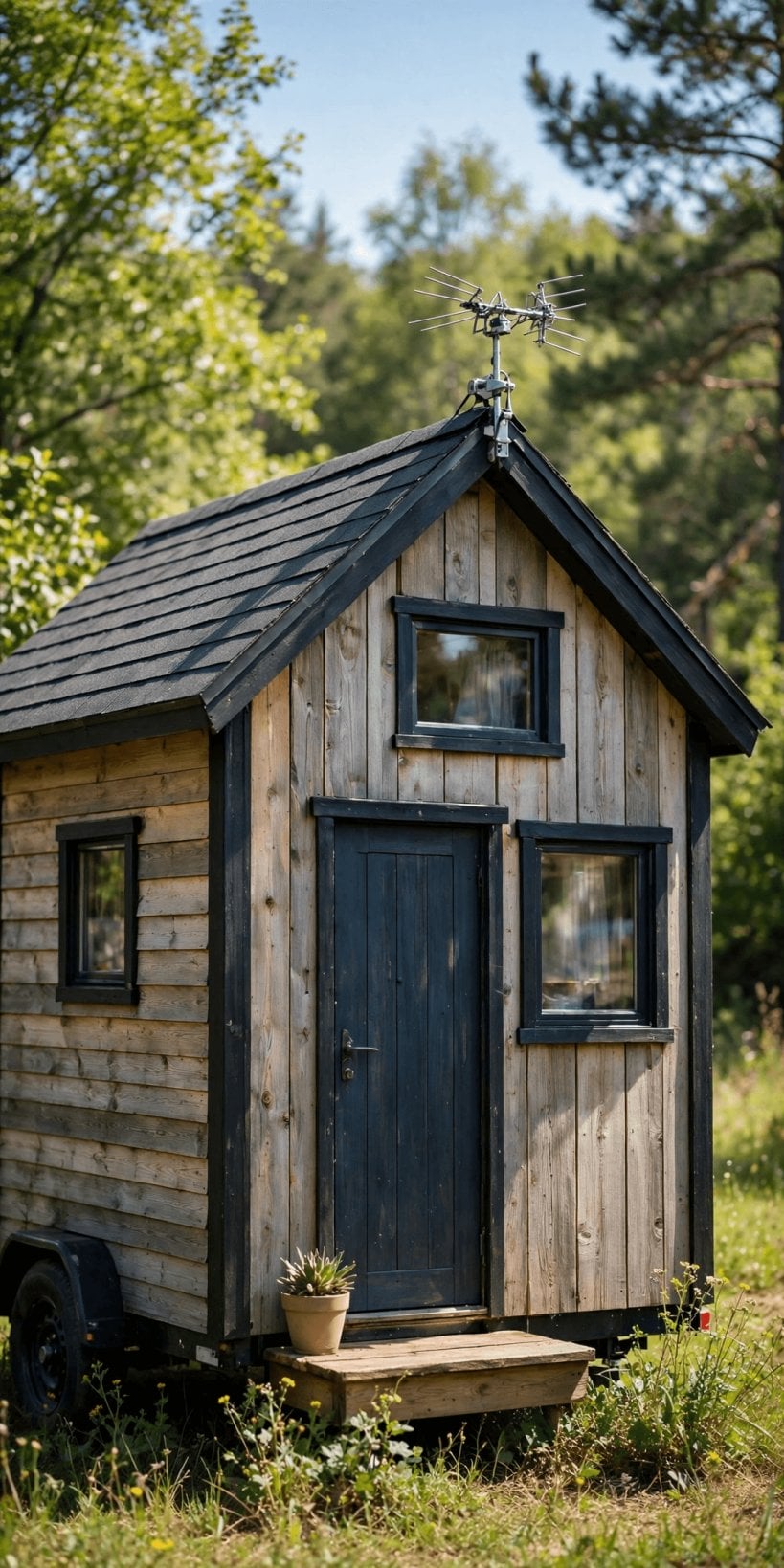
Where a mobile or fixed signal exists but arrives tired, antennas and boosters are the honest middle path between suffering and satellite. An external antenna, mounted high and outside the house’s metal skin, hears far more than a router on a windowsill, because height and a clear position are most of what signal strength is. A booster then works with what the antenna gathers. In the classic tiny situation, a rural lot with a usable signal at the roofline and a miserable one at the sofa, this layer turns an unworkable connection into a working one.
Respect the limits, because this category attracts more wishful thinking than any other in the guide. Amplification cannot invent a signal where none arrives, cannot cure congestion on an overloaded network, and cannot fix a connection whose problem is the plan’s terms rather than the airwaves. Cheap, badly installed gear can perform worse than the bare router it replaced. Diagnose before you buy: if a usable signal exists somewhere at the property, at the roof, at the field edge, antennas can bring it indoors. If the property is simply beyond the network, the answer lives in a different section of this guide, and money spent pretending otherwise is tuition in that lesson.
9. Testing Signal Before You Commit to a Lot
This is the section that saves the money and the heartbreak, so it gets said plainly: never sign a long lease, and certainly never buy land, on the strength of a coverage map. Maps are modelled optimism. Test instead, in person, at the actual pitch, with a phone or trial setup on each network you might realistically use, at the hours your life happens: the weekday morning call, the evening peak, the wet weekend. Walk the property, because the difference between a dead spot and a decent signal can be the width of the lot, and note where the good ground is before the house is placed on the bad.
Build the test into how you evaluate any site, the way you would check water, access and restrictions in tiny house utilities: power, water and off-grid sewage generally: before commitment, while walking away is still free. Ask neighbours and the nearest residents what actually works at their homes, since one honest local report outranks a page of marketing. If the lot fails the test and your work is non-negotiable, the lot is wrong, however beautiful, and it is far better to learn that with a phone in your hand than with a house on a truck behind you.
10. Choosing and Layering: A Plan That Survives a Dead Zone
Most settled tiny households end up layered, and the layers are this guide in miniature. A primary connection chosen for the site: wired where it exists, fixed wireless or strong mobile where it does not, satellite where nothing else reaches. An improvement layer where the signal needs help: position, antenna, booster, judged by diagnosis rather than hope. And for households whose income rides on the connection, a modest backup on a different network or technology, because two imperfect connections on different systems rarely fail on the same day, and the day they would is usually a day nothing works anywhere.
Choose in the order the house experiences it: usage first, place second, technology third, gadgets last. Keep the arrangement as simple as your site honestly allows, because every layer is a cost, a power draw and a thing to troubleshoot in the rain. And revisit the choice when the facts change: a new transmitter, a new service reaching the road, a move across the county. Connectivity for a tiny house is not a purchase. It is a small, ongoing negotiation between your home and the landscape it sits in, and the households who treat it that way are the ones still on the video call when the weather turns.
Final Considerations
What internet options work for tiny houses? Nearly all of them, somewhere. Mobile data for the movers and the well-covered, fixed wireless for the settled rural lot, satellite for the genuinely remote, and plain wired service, the quiet champion, wherever permanent land allows it. The technology is the easy half of the answer. The harder half is matching it to your real usage and your real location, testing before you commit, and layering modest backups where your livelihood demands them. Do that, and a house of any size, including a very small one, stays connected to the work, people and world it was built to live among.
The physical details matter at the edges of the plan, too: cable and antenna runs brought under the house benefit from the protection described in tiny house skirting options for pipes and insulation, and any household planning a life that moves between pitches will find the road-ready thinking in the tiny house trailer buying guide pairs naturally with a connection that travels just as well.


0 Comments